

Wearing over the ear headphones for long hours can be a game changer for music lovers and professionals alike. Studies show that over 60 percent of headphone users report discomfort after extended use. This often happens due to poor fit or wrong materials. Comfort is key to enjoying your audio experience without strain. This guide will help you wear your headphones all day without pain.
Many people struggle with sore ears or headaches after wearing headphones for a few hours. The right approach can make a big difference in your comfort. Whether you work from home or love long listening sessions this guide is for you. You will learn how to adjust your headphones for maximum comfort and avoid common mistakes.
Why Comfort Matters for Long-Term Use
Comfort is not just about feeling good it is about avoiding health issues. Poorly fitted headphones can cause ear pain and headaches. They may also lead to fatigue and reduced focus over time. This is especially true for those who use headphones for work or study.
Long term use of uncomfortable headphones can even affect your posture. You might find yourself slouching or tilting your head to keep them in place. This can result in neck and shoulder pain. Comfortable headphones help you maintain a natural posture and reduce strain.
Another reason comfort matters is sound quality. When headphones fit well they create a better seal around your ears. This improves bass response and overall audio clarity. You get to enjoy your music or calls without constantly adjusting your headphones.

Choosing the Right Over the Ear Headphones
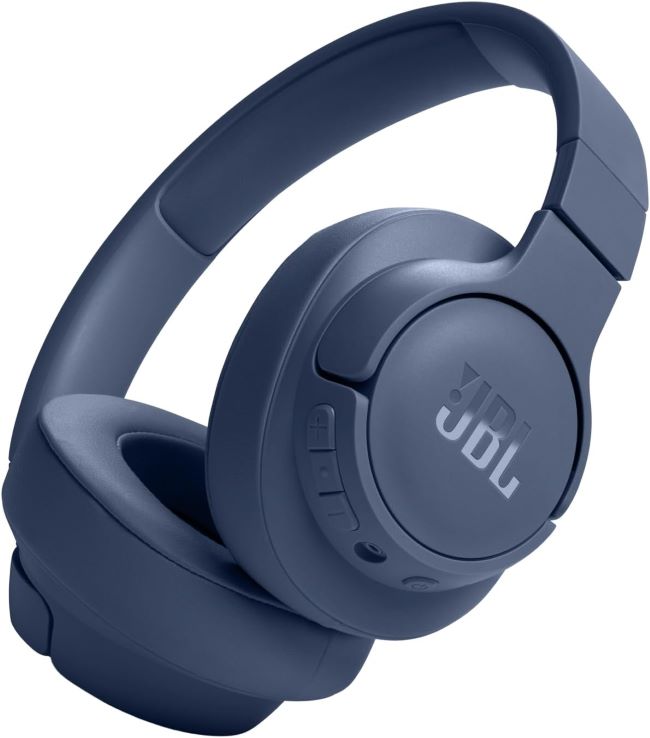
Not all over the ear headphones are created equal. The first step to all day comfort is picking the right pair. Look for models with soft padding and adjustable headbands. Memory foam ear cushions are a great choice for long sessions.
Consider the weight of the headphones as well. Lighter models put less pressure on your head and ears. This is important if you plan to wear them for hours. Some headphones also have swiveling ear cups for a better fit.
Wireless options can add to your comfort by eliminating tangled cords. However make sure the battery life matches your needs. The last thing you want is for your headphones to die in the middle of an important call or workout.
Key Features to Look For
Padding: Soft and breathable materials like memory foam or velour prevent heat buildup. They also reduce pressure on your ears. This is crucial for all day wear.
Adjustability: A headband that adjusts to your head size ensures a snug but not tight fit. This prevents slippage and discomfort. Some models even have customizable ear cup angles.
Clamp Force: This refers to how tightly the headphones grip your head. Too much clamp force can cause pain. Look for headphones with a balanced clamp force that keeps them secure without squeezing.
Material: Lightweight materials like aluminum or high quality plastics add to comfort. They reduce the overall weight and improve durability. Avoid cheap plastics that can break easily.
Proper Fit and Adjustment Techniques
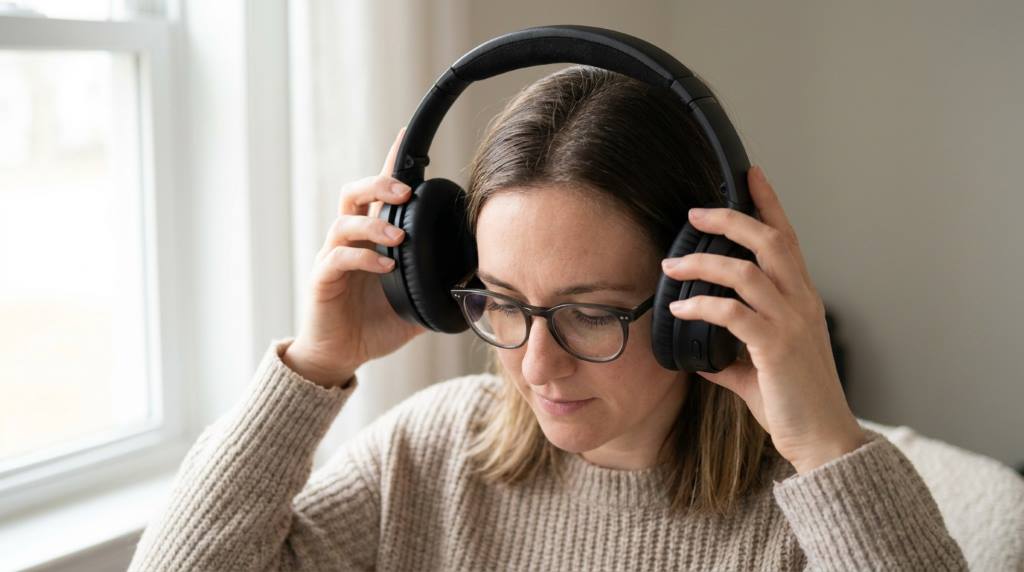
Even the best headphones can be uncomfortable if they do not fit properly. Start by adjusting the headband to match your head size. The ear cups should fully enclose your ears without pressing too hard. This creates a good seal for better sound and comfort.
Next check the position of the ear cups. They should sit evenly on both ears. If one side feels tighter than the other adjust the headband or ear cup angle. Some headphones allow you to swivel the ear cups for a perfect fit.
If your headphones have a tight clamp force try stretching them gently. Place them over a book or box for a few hours to loosen the grip. This can make a big difference in comfort for long sessions.
Common Fit Mistakes to Avoid
Too Tight: Many people think tighter headphones sound better. In reality too much pressure can cause discomfort and even damage your ears over time. Find a balance between a secure fit and comfort.
Wrong Position: Ear cups should fully cover your ears. If they sit on your ear lobes they can cause pain. Adjust the headband until the ear cups are in the right position.
Ignoring Adjustments: Most headphones come with adjustable features. Take the time to tweak them for your head shape. This small effort can greatly improve your comfort.
Tips for All-Day Comfort
Taking breaks is one of the simplest ways to stay comfortable. Even with the best headphones your ears need time to rest. Try the 20 20 rule every 20 minutes take a 20 second break to remove your headphones.
Keep your headphones clean to prevent irritation. Ear cushions can collect sweat and dirt over time. Use a soft cloth and mild cleaner to wipe them down regularly. This keeps them fresh and comfortable.
If you wear glasses try headphones with deeper ear cups. This prevents the frames from pressing into your head. Some models are designed specifically for glasses wearers.
Accessories for Enhanced Comfort
Replacement Ear Pads: If your ear cushions wear out you can replace them. Many brands offer replacement pads in different materials. This is a cost effective way to extend the life of your headphones.
Headphone Stands: Storing your headphones on a stand keeps them in good shape. It also prevents the headband from losing its shape over time. This ensures a consistent fit every time you use them.
Cable Management: For wired headphones use clips or ties to keep cables organized. This prevents tangling and reduces the weight pulling on your headphones.
Unique Discussion: Climate Considerations for Headphone Comfort
Most guides overlook how climate affects headphone comfort. In hot and humid climates ear cushions can trap heat and sweat. This leads to discomfort and even skin irritation. Look for breathable materials like mesh or velour to improve airflow.
In cold climates your ears might feel colder with over the ear headphones. This is because the ear cups can block natural heat from your body. To combat this choose headphones with thicker padding. You can also wear a light hat or beanie over your headphones for extra warmth.
If you live in a rainy or coastal area humidity can be a concern. Moisture resistant materials help prevent damage to your headphones. Some models even have waterproof ratings for outdoor use. This is especially useful for runners or outdoor enthusiasts.
For those in dusty environments regular cleaning is a must. Dust can clog the ear cushions and affect sound quality. Use a soft brush or compressed air to remove dust from hard to reach areas.
Maintaining Your Headphones for Long-Term Comfort
Regular maintenance keeps your headphones in top condition. Check the ear cushions for wear and tear every few months. Replace them if they start to flatten or crack. This ensures a consistent and comfortable fit.
Clean the headband and ear cups with a damp cloth and mild soap. Avoid harsh chemicals that can damage the materials. For deep cleaning use a soft brush to remove dirt from seams and crevices.
Store your headphones in a cool dry place when not in use. Extreme temperatures can damage the materials and affect performance. A dedicated case or stand can protect them from dust and accidental damage.
When to Replace Your Headphones
Even the best headphones have a limited lifespan. If you notice a drop in sound quality it might be time for a replacement. Worn out drivers or damaged cables can affect performance.
Comfort is another sign that it is time for new headphones. If the ear cushions no longer provide a good seal or the headband feels loose consider upgrading. Newer models often have improved comfort features.
Technology advances quickly in the audio industry. If your headphones are several years old you might be missing out on new features. Noise cancellation and battery life have improved significantly in recent years.
Conclusion
Wearing over the ear headphones comfortably all day is possible with the right approach. Start by choosing headphones with the right features for your needs. Adjust them properly and take care of them to ensure long term comfort.
Remember to take breaks and keep your headphones clean. Consider your climate and environment when selecting materials. With these tips you can enjoy your audio experience without discomfort.
If you found this guide helpful share it with others who might benefit. Happy listening and here is to many comfortable hours with your headphones.
FAQ
How do I stop my over the ear headphones from hurting my ears?
Adjust the headband and ear cups for a snug but not tight fit and take regular breaks to relieve pressure.
Are memory foam ear cushions better for long term use?
Yes memory foam conforms to your ears and provides better comfort and noise isolation for extended wear.
Can I wear over the ear headphones with glasses?
Yes look for headphones with deeper ear cups to accommodate glasses frames comfortably.
How often should I clean my headphones?
Clean your headphones at least once a month or more often if you use them daily in humid conditions.
What is the best material for headphone ear cushions in hot climates?
Velour or mesh materials are breathable and help reduce heat and sweat buildup in hot climates.