

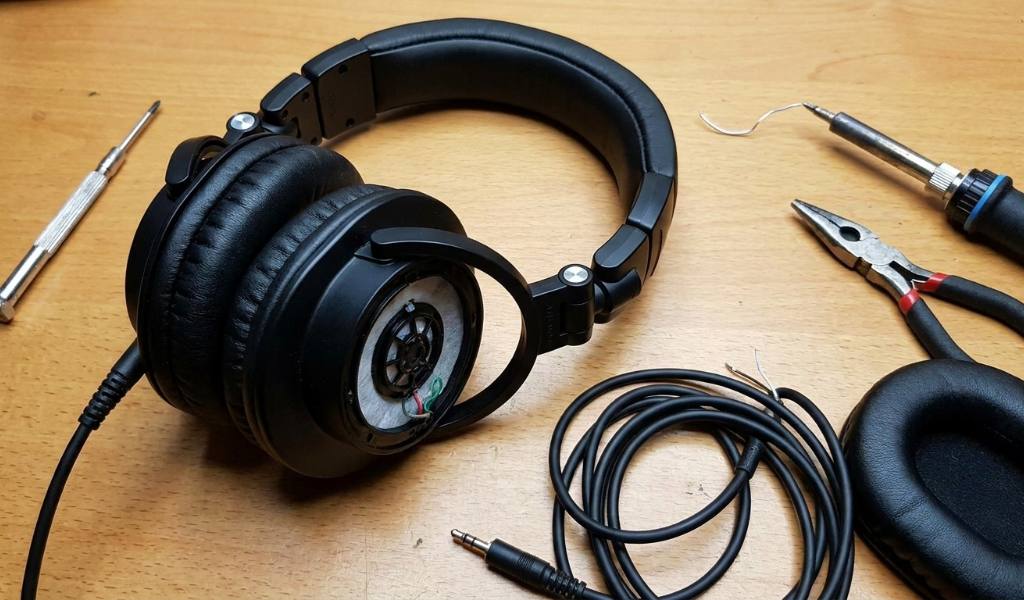
Most Audio-Technica ATH-M50x headphones problems are fixable at home with basic tools. Worn ear pads, faulty cables, and loose hinges cause the majority of issues. Since these are the Audio-Technica ATH-M50x Headphones with a detachable cable and replaceable pads, you can restore them without a repair shop. In fact, most repairs take under thirty minutes and cost far less than a new pair. Below, you will find step-by-step fixes for each common problem, plus guidance on when professional service makes more sense.
Quick Answer
Most ATH-M50x issues fall into four categories: ear pads, cables, headband, and hinge joints. Ear pads and cables are the easiest to fix yourself. Headband and hinge repairs need more care but remain doable with basic tools. Driver failures usually require professional service or full replacement.
Key Takeaways
- Replace worn ear pads first, since they cause most comfort and sound complaints.
- A faulty cable is the top cause of one-sided audio loss.
- Loose hinges often tighten with a small screwdriver and patience.
- Cracking headbands may need a replacement band or professional repair.
- Driver damage is rarely worth fixing at home.
- Genuine replacement parts last longer than cheap third-party options.
Diagnose the Problem Before You Repair
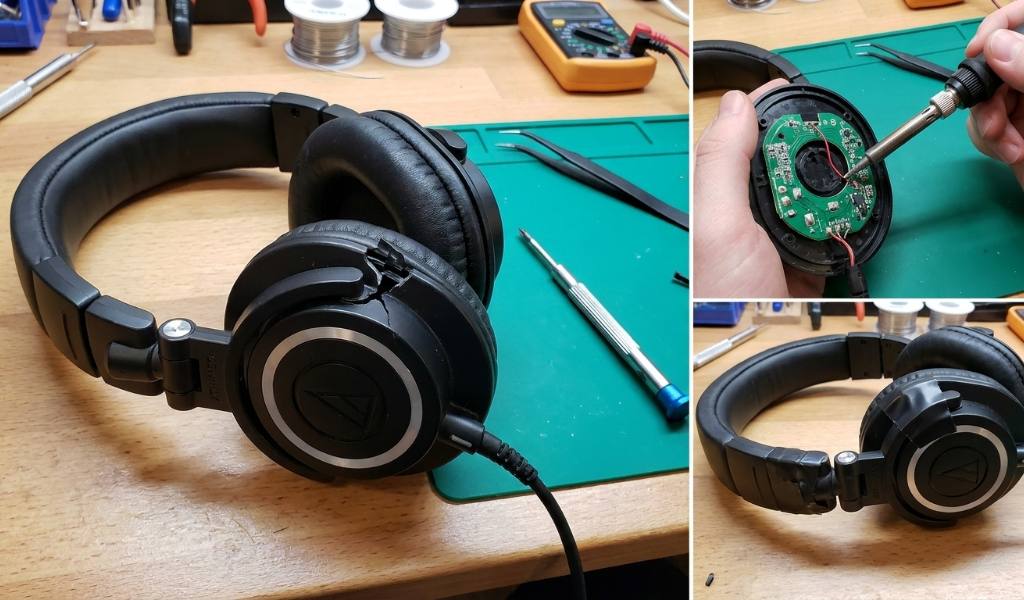
Before buying parts, identify the exact issue. Play audio and listen for which side fails. Wiggle the cable near the jack to test for loose connections. Inspect the pads, headband, and hinges for visible wear. This step saves money and prevents unnecessary replacements.
Start with the cheapest possible fix. A cable swap costs far less than new drivers. Similarly, tightening a screw costs nothing at all. Therefore, work from simple to complex until the problem disappears.
How to Fix Worn or Flaking Ear Pads
Flaking ear pads are the most common complaint. Foam breaks down from sweat, oils, and daily use. Replacement takes about five minutes per side. Consequently, this is the easiest repair on the entire headphone.
- Grip the old pad and pull it away from the housing.
- Wipe the exposed plastic with a dry cloth.
- Align the new pad’s lip with the groove.
- Press evenly around the edge until it snaps in.
- Test the seal by pressing the headphone against your ear.
Choose genuine Audio-Technica pads when possible. Cheap alternatives often flatten within months. Additionally, worn pads affect bass response and noise isolation. A fresh set restores both comfort and sound quality.
How to Fix Cable and Audio Issues
A dead channel usually points to the cable. The M50x uses a 2.5mm locking connector on the headphone side and a 3.5mm plug on the source end. Swap in the spare cable to confirm the diagnosis. If audio returns, the cable was the culprit.
If the Cable Is the Problem
Replace the cable with an official Audio-Technica replacement. Twist the connector until it locks into place. Avoid pulling on the cord when removing the headphones. Instead, grip the plug housing directly.
If the Cable Is Not the Problem
Check the driver by testing the other ear cup. If the issue follows the driver, the problem is internal. At that point, professional repair or replacement makes sense. Do not open the driver housing unless you accept the risk of further damage.
How to Fix a Loose or Cracked Headband
A loose headband slides down during use. A cracked one may snap completely. Tighten the sliding mechanism with a small Phillips screwdriver. If the plastic is cracked, replace the headband or use a padded cover for short-term support.
Prevention matters here. Store the headphones on a stand rather than tossing them in a bag. Avoid stretching the band wider than necessary. These habits extend the life of the plastic significantly.
How to Fix Hinge and Swivel Joint Problems
The swivel joints allow the cups to fold. Over time, they loosen or squeak. Tighten the visible screws with a precision screwdriver. Apply a tiny amount of silicone grease to stop squeaks. Do not over-tighten, since plastic threads strip easily.
If a hinge has cracked, replacement parts are available from Audio-Technica. However, hinge replacement requires disassembly. If you are not comfortable with small parts, send the headphones to a repair service instead.
When Professional Repair Makes More Sense
Driver failure, internal wiring damage, and severe headband cracks are hard to fix at home. Contact Audio-Technica support for warranty options. If the headphones are out of warranty, compare repair cost against a new pair. Often, a new pair costs only slightly more than a full repair.
Frequently Asked Questions
Can I replace ATH-M50x ear pads myself?
Yes, the pads pull off by hand and new ones press into the same groove.
Why does one side of my ATH-M50x stop working?
A faulty cable is the most common cause, so test with the spare cable first.
Are ATH-M50x headphones covered by warranty?
Audio-Technica offers a limited warranty, typically one year in the U.S.
Can I use any 3.5mm cable with ATH-M50x headphones?
No, the headphone end uses a 2.5mm locking connector, so you need a compatible cable.
How long do ATH-M50x ear pads last?
Most pads last one to two years with daily use before flaking begins.
Conclusion
Most ATH-M50x problems have simple fixes. Start with the pads and cable, since those cause the majority of issues. Tighten loose hinges with a small screwdriver. If drivers fail, contact support before spending money. With basic care, these headphones can last for years. Order genuine replacement parts from Audio-Technica or a trusted retailer today.