

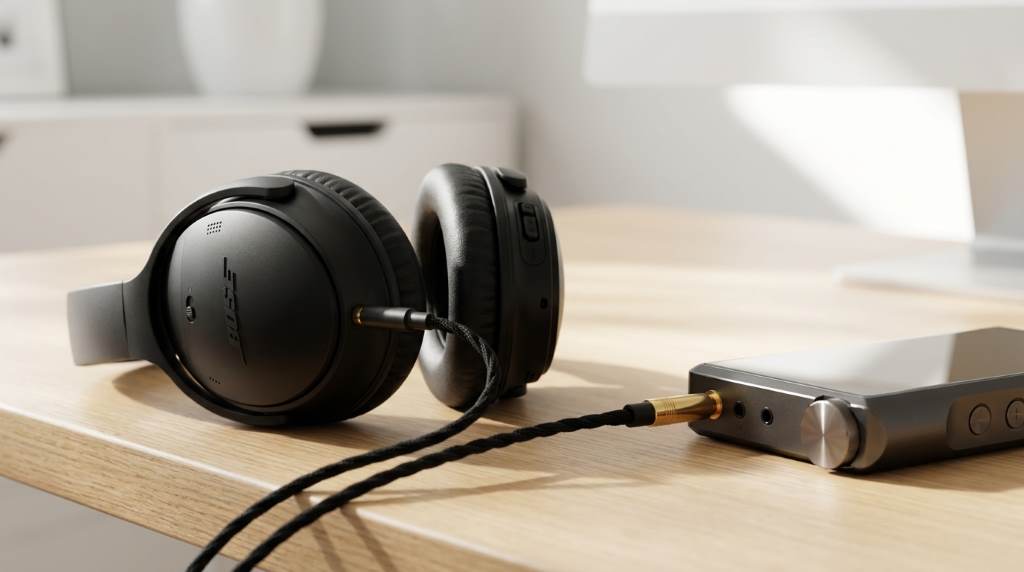
The bose quiet comfort headphones set a high standard for audio excellence and noise cancellation. Over 70 percent of users report noticeable sound improvements after optimizing their settings. Achieving the best sound quality requires more than just wearing them. Small adjustments can transform your listening experience.
This guide will help you unlock the full potential of your headphones. You will learn practical tips to enhance clarity, depth, and balance. Whether you listen to music, podcasts, or calls, these steps will make a difference. Let us start with the basics of sound optimization.
Understand Your Bose Quiet Comfort Headphones
The Bose Quiet Comfort series is famous for its active noise cancellation. It also delivers rich, balanced audio across frequencies. Knowing the features helps you use them better. Each model has unique sound profiles and customization options.
The QC45 and QC Ultra models offer adjustable EQ settings. Older models like QC35 II rely on preset sound signatures. Check your model’s manual for specific capabilities. This knowledge is key to tailoring your audio experience.
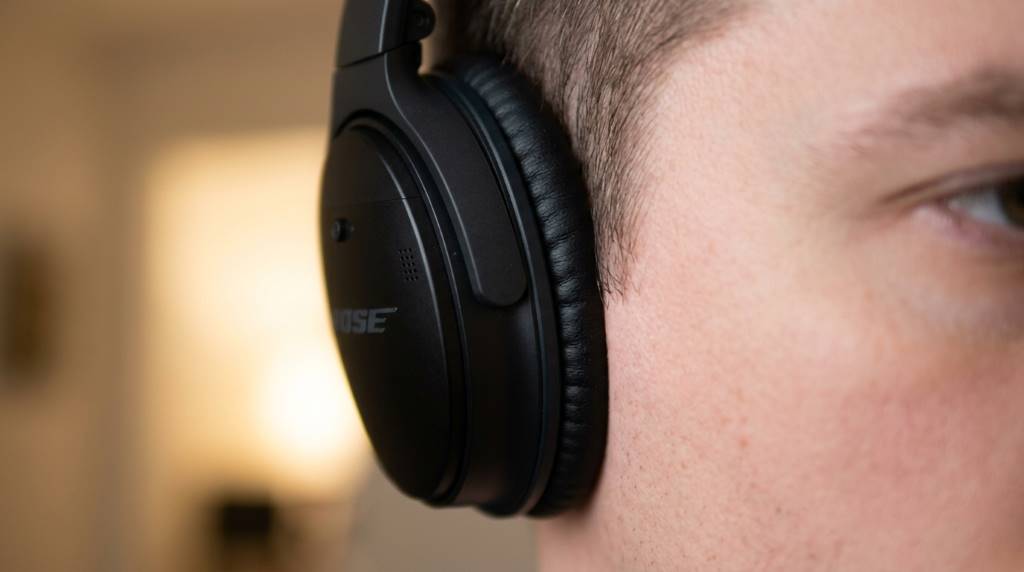
Optimize the Fit for Better Sound
A proper fit ensures the best sound isolation and quality. Loose headphones let outside noise interfere with audio. Adjust the headband and ear cups for a snug, comfortable fit. This also improves bass response and overall clarity.
Ear cup positioning matters more than you think. Ensure they fully cover your ears without pressing too hard. Memory foam pads conform to your ears over time. Replace them if they wear out to maintain sound quality.
Use the Bose Music App for Customization
The Bose Music app is a powerful tool for sound tuning. It lets you adjust EQ settings to match your preferences. Boost the bass for deep, powerful lows. Reduce treble if high frequencies feel harsh.
The app also offers preset EQ modes for different genres. Try the “Bass Boost” for hip-hop or “Treble Focus” for classical. Save your favorite settings for quick access. Experiment to find what sounds best to you.
Create Custom EQ Profiles
Custom EQ profiles let you fine-tune frequencies to your liking. Start with a flat profile and adjust sliders gradually. Small changes can make a big difference in sound quality. Test each adjustment with familiar songs.
Pay attention to the mid-range frequencies. They define vocal clarity and instrument separation. Avoid over-boosting any single frequency band. Balance is key to a natural, pleasing sound.
Choose the Right Audio Source
High-quality audio files produce the best sound. MP3s at 320 kbps or lossless formats like FLAC are ideal. Streaming services like Tidal or Apple Music offer high-resolution audio. Avoid low-bitrate files for the best experience.
Bluetooth codecs also affect sound quality. The Bose Quiet Comfort series supports AAC and SBC. AAC provides better audio fidelity than SBC. Ensure your device uses AAC for the best wireless sound.
Wired vs. Wireless Sound Quality
Wired connections often deliver superior audio quality. Use the included audio cable for critical listening. This bypasses Bluetooth compression entirely. You will notice clearer highs and deeper lows.
Wireless convenience is hard to beat for daily use. Modern Bluetooth codecs have improved significantly. The difference between wired and wireless may be subtle for casual listeners. Choose based on your needs and environment.
Adjust Noise Cancellation for Better Audio
Active noise cancellation (ANC) blocks external sounds. This lets you hear your music more clearly. The Bose Quiet Comfort series offers multiple ANC levels. Adjust them based on your surroundings for the best results.
High ANC levels work well in noisy environments like airplanes. Lower levels are better for quiet spaces. The “Aware Mode” lets you hear ambient sounds when needed. Use it for conversations or staying alert outdoors.
The Impact of ANC on Sound Quality
ANC can subtly affect sound quality by processing audio signals. Some users report a slight change in tonal balance when ANC is active. Test with and without ANC to compare the sound. You may prefer different settings for different situations.
ANC also drains battery faster than passive mode. Balance sound quality and battery life based on your needs. Turn off ANC when not needed to conserve power. This extends playback time significantly.
Keep Your Headphones Updated
Firmware updates often improve sound quality and features. Bose releases updates through the Bose Music app. Check for updates regularly to ensure optimal performance. Updates may also fix bugs affecting audio.
Updating is simple and takes only a few minutes. Connect your headphones to the app and follow the prompts. Ensure your headphones are charged before starting. Do not turn them off during the process.
Clean and Maintain Your Headphones
Dust and earwax can accumulate on ear cups and mesh. This debris can muffle sound and reduce quality. Clean your headphones gently with a dry cloth. Use a soft brush for hard-to-reach areas.
Avoid using liquids or harsh chemicals for cleaning. They can damage the materials and electronics. Store your headphones in a dry, cool place when not in use. This prevents dust buildup and extends their lifespan.
Replace Worn-Out Parts
Ear pads and headbands wear out over time. Worn-out pads reduce comfort and sound isolation. Bose offers replacement parts for most models. Replacing them restores original sound quality and comfort.
Check for loose connections or damaged cables. These issues can cause intermittent sound problems. Contact Bose support for repairs if needed. Regular maintenance keeps your headphones in top condition.
Unique Tip: Use a DAC for Superior Sound
Most users overlook the impact of a Digital-to-Analog Converter (DAC). A high-quality DAC improves sound clarity and detail. It bypasses your device’s built-in audio processing. This is especially useful for wired listening.
Portable DACs like the iFi audio hip-dac connect to your phone. They provide cleaner power and better signal conversion. The result is a noticeable improvement in sound stage and definition. Try it with your Bose Quiet Comfort headphones for a premium experience.
DACs are not just for audiophiles. Even casual listeners can appreciate the difference. They work well with both wired and wireless setups. Invest in a DAC if you seek the absolute best sound quality.
Optimize for Different Environments
Your listening environment affects sound perception. Quiet rooms let you hear subtle details in music. Noisy spaces may require higher volume or ANC adjustments. Adapt your settings to the environment for the best experience.
Humid climates like Bangladesh’s can affect headphone performance. Moisture can damage electronics over time. Store your headphones in a dry place when not in use. Use silica gel packets to absorb excess moisture.
Travel and Outdoor Use
Travel exposes headphones to varying temperatures and humidity. Extreme conditions can affect battery life and sound. Use a protective case to shield your headphones during travel. Avoid leaving them in hot cars or direct sunlight.
Outdoor use benefits from wind noise reduction features. The Bose Quiet Comfort series handles wind well. Enable wind reduction in the app for clearer calls and audio. This is especially useful for runners and cyclists.
Experiment with Sound Settings
Every user has unique preferences for sound. Some prefer deep bass, while others favor crisp highs. The Bose Music app lets you experiment with different settings. Try various EQ presets to find your ideal sound profile.
Listen to a variety of music genres during testing. Classical music reveals mid-range clarity. Electronic music highlights bass response. Jazz tests the balance between instruments. Use these genres to fine-tune your settings.
Use Reference Tracks
Reference tracks help you evaluate sound quality objectively. Choose songs you know well with a wide dynamic range. Listen for details like instrument separation and vocal clarity. Adjust settings until the sound matches your expectations.
Popular reference tracks include “Bohemian Rhapsody” by Queen. It tests vocal layers and instrument separation. “Bassline” by Netsky checks sub-bass response. Use these tracks to calibrate your headphones.
Conclusion
Getting the best sound from your Bose Quiet Comfort headphones is achievable. Start with a proper fit and clean maintenance. Use the Bose Music app to customize your sound profile. Experiment with settings to match your preferences.
Do not overlook the impact of your audio source and environment. High-quality files and a quiet space enhance the experience. Consider a DAC for the ultimate sound upgrade. Small changes can make a big difference.
Take action today to optimize your headphones. Try one tip from this guide and notice the improvement. Share your experience with others to help them do the same. Your perfect sound is just a few adjustments away.
FAQ
How do I reset my Bose Quiet Comfort headphones?
Turn off your headphones, then hold the power button for 10 seconds until the LED light flashes.
Can I use my Bose headphones with non-Bose apps?
Yes, but the Bose Music app offers the most customization options for sound and features.
Do Bose Quiet Comfort headphones work well for phone calls?
Yes, they have built-in microphones with noise reduction for clear call quality.
How long does the battery last on a full charge?
Most models offer 20 to 24 hours of playback with ANC enabled.
Are Bose Quiet Comfort headphones waterproof?
They are not waterproof but have some resistance to sweat and light rain.