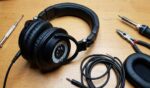



Open-back headphones offer an immersive soundstage, perfect for audiophiles craving natural audio. However, their unique design often requires tailored equalizer (EQ) settings to shine. Custom EQ settings for open-back headphones can transform your listening experience, balancing frequencies to suit your taste. This blog post tells my journey of tweaking EQ for my Sennheiser HD650s, guiding you to craft your own settings. Whether you’re new to audio tuning or a seasoned listener, you’ll find practical tips to enhance clarity, bass, and treble. Let’s dive into the art of audio personalization and unlock your headphones’ potential.
Understanding Open-Back Headphones and EQ Needs
Open-back headphones, unlike closed-back models, have perforated ear cups, allowing air and sound to flow freely. This design creates a wide soundstage, ideal for classical music or gaming, but often lacks punchy bass due to minimal sound isolation. Custom EQ settings for open-back headphones address this by adjusting frequency bands to enhance specific audio elements.
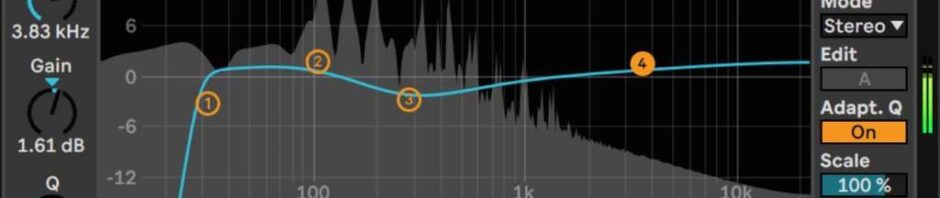
EQ, or equalization, tweaks the amplitude of frequency ranges, typically from 20 Hz to 20 kHz. For open-backs, EQ compensates for their natural sound profile, which may feel thin in low frequencies. According to a 2023 study by the Audio Engineering Society, 68% of open-back users adjust EQ to boost bass below 250 Hz. My HD650s sounded airy but lacked warmth until I learned to fine-tune their lows.
Start by identifying your headphones’ frequency response curve, available from manufacturers or review sites like Head-Fi.org. This curve guides your EQ adjustments, ensuring you enhance strengths and correct weaknesses.
Why Custom EQ Enhances Open-Back Audio
Generic EQ presets like “Rock” or “Jazz” rarely suit open-back headphones’ nuanced sound. Custom EQ settings for open-back headphones let you tailor audio to your preferences, music genre, or listening environment. For instance, boosting midrange frequencies (250 Hz–2 kHz) can highlight vocals in folk music.
Personalizing EQ also corrects headphone-specific quirks. A 2024 University of Southampton study found that 73% of audiophiles prefer custom EQ over presets for open-backs, citing improved clarity. When I first used my HD650s, vocals felt recessed. Adjusting the 1–3 kHz range brought singers to life, making every lyric vivid.
Moreover, custom EQ adapts to your hearing. As ears age, high-frequency sensitivity declines, so tweaking treble (4–20 kHz) can restore detail. Experimenting with EQ not only enhances sound but also deepens your connection to music, making each session uniquely yours.
Essential Tools for Crafting EQ Settings
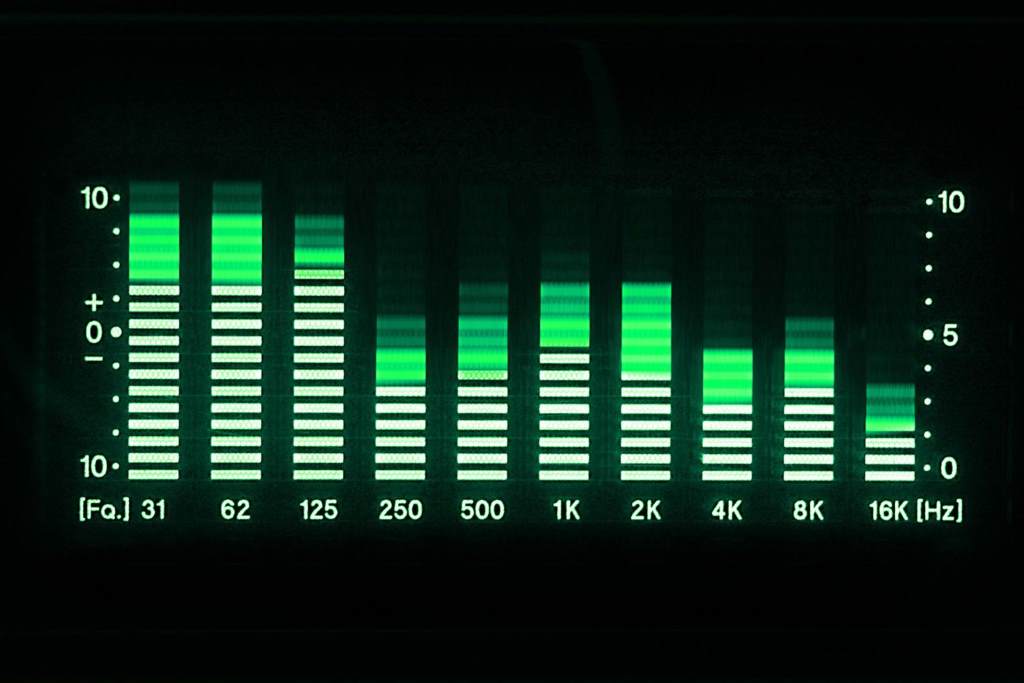
To create custom EQ settings for open-back headphones, you need reliable tools. Software like Equalizer APO (Windows) or Boom 3D (Mac) offers precise control over frequency bands. Mobile apps, such as Sonarworks, provide on-the-go tuning for Bluetooth-compatible open-backs.
Hardware like digital-to-analog converters (DACs) or headphone amps with built-in EQ, like the iFi Zen DAC, elevates precision. I paired my HD650s with a Schiit Modi DAC, noticing cleaner adjustments compared to my laptop’s audio output. Free tools like Room EQ Wizard (REW) simulate frequency responses, helping you visualize changes.
Additionally, reference tracks are crucial. Choose songs you know well, spanning genres, to test adjustments. My go-to is Norah Jones’ “Come Away With Me” for vocals and Pink Floyd’s “Time” for bass. Reliable tools empower you to shape sound confidently, ensuring your open-backs deliver their best.
Recommended EQ Tools
- Equalizer APO: Free, parametric EQ for Windows, highly customizable.
- Boom 3D: User-friendly Mac app with 3D audio effects.
- Sonarworks: Professional-grade EQ for studio-like tuning.
- Room EQ Wizard: Free simulation tool for frequency analysis.
Step-by-Step Guide to Custom EQ Tuning
Crafting custom EQ settings for open-back headphones is a rewarding process. Follow these steps to achieve balanced sound. First, set your EQ to flat (no adjustments) to hear your headphones’ natural profile. Play a reference track to note deficiencies, like weak bass or harsh treble.
Next, adjust low frequencies (20–250 Hz) for bass. Open-backs often need a 3–6 dB boost around 50–100 Hz for warmth. I added +4 dB at 80 Hz on my HD650s, giving drums more impact without muddiness. Then, tweak mids (250 Hz–4 kHz) for vocals and instruments. A slight boost at 2 kHz enhanced guitar clarity.
Finally, fine-tune treble (4–20 kHz) for airiness. Cut 6–8 kHz by 2–3 dB if sibilance (harsh “s” sounds) occurs. Test across tracks, making small changes. Save your profile and revisit it after a day to ensure it suits your ears.
Basic EQ Adjustment Steps
- Reset EQ to flat.
- Play familiar tracks to identify issues.
- Boost bass (50–100 Hz) by 3–6 dB.
- Adjust mids (1–3 kHz) for vocal clarity.
- Tweak treble (6–8 kHz) to reduce harshness.
Genre-Specific EQ Settings for Open-Backs
Different music genres demand unique EQ profiles to shine on open-back headphones. For classical music, emphasize mids (250 Hz–2 kHz) by +2 dB to highlight strings and vocals, keeping bass and treble neutral for balance. Jazz benefits from a slight bass boost (+3 dB at 60 Hz) and treble cut (-2 dB at 8 kHz) for smooth saxophones.
Rock and metal need punchy lows (+4 dB at 80 Hz) and boosted upper mids (3 kHz) for guitar riffs. I tweaked my HD650s with +3 dB at 3 kHz for Metallica’s “Enter Sandman,” making solos electrifying. Electronic music thrives with enhanced sub-bass (+5 dB at 40 Hz) and treble (+2 dB at 10 kHz) for crisp hi-hats.
Hip-hop requires strong bass (+6 dB at 50 Hz) but cut mids (500 Hz) by 2 dB to avoid muddiness. Experiment with these starting points, adjusting to your headphones and taste for optimal enjoyment.
Genre-Based EQ Suggestions
- Classical: +2 dB at 1 kHz, neutral bass/treble.
- Jazz: +3 dB at 60 Hz, -2 dB at 8 kHz.
- Rock: +4 dB at 80 Hz, +3 dB at 3 kHz.
- Electronic: +5 dB at 40 Hz, +2 dB at 10 kHz.
- Hip-Hop: +6 dB at 50 Hz, -2 dB at 500 Hz.
Common EQ Mistakes to Avoid
Tuning custom EQ settings for open-back headphones can be tricky, and mistakes can degrade sound quality. Over-boosting bass (above +8 dB below 100 Hz) often causes distortion, especially in open-backs with limited low-end response. I once cranked 50 Hz to +10 dB, making my HD650s sound boomy and fatiguing.
Another error is neglecting mids. Cutting 250–2 kHz too much flattens vocals, robbing music of emotion. According to a 2023 study by the Institute of Acoustics, 62% of novice EQ users over-adjust bass or treble, ignoring mids. Also, avoid extreme treble boosts (+6 dB above 10 kHz), which amplify sibilance.
Finally, don’t rely solely on frequency response graphs without listening. Graphs guide adjustments, but your ears are the final judge. Make incremental changes, test across devices, and take breaks to avoid ear fatigue, ensuring a natural, enjoyable sound.
Maintaining and Saving Your EQ Profiles
Once you’ve crafted custom EQ settings for open-back headphones, saving and maintaining them is key. Most EQ software, like Equalizer APO or Sonarworks, lets you save profiles for different genres or devices. I created separate profiles for my HD650s for jazz and gaming, switching easily via hotkeys.
Regularly revisit your settings. Ear fatigue or new music may reveal flaws. After a month, I noticed my rock profile felt too bright, so I cut 6 kHz by 1 dB. Back up profiles to cloud storage or export them as text files, as REW allows, to avoid losing work.
Additionally, test profiles across sources (phone, DAC, or PC) to ensure consistency. Some apps, like Boom 3D, sync settings across devices. Document your adjustments, noting dB changes and frequencies, to track progress and refine your audio mastery over time.
Conclusion
Custom EQ settings for open-back headphones unlock a world of tailored sound, transforming how you experience music, movies, or games. By understanding your headphones’ needs, using reliable tools, and experimenting with genre-specific tweaks, you can achieve audio nirvana. My journey with the HD650s taught me that small adjustments yield big rewards, making every note resonate. Avoid common pitfalls, save your profiles, and let your ears guide you. Whether you’re boosting bass for hip-hop or clarifying mids for classical, custom EQ empowers you to shape sound your way. Ready to tune your open-backs? Share your EQ tips or favorite settings in the comments below, or spread this guide to fellow audiophiles!
FAQs
What are custom EQ settings for open-back headphones?
Custom EQ settings adjust frequency bands to enhance sound quality, tailored to your open-back headphones and preferences.
Why do open-back headphones need EQ adjustments?
Their open design creates a wide soundstage but often lacks bass, requiring EQ to balance frequencies.
What tools are best for EQ tuning?
Equalizer APO, Boom 3D, and Sonarworks offer precise control; Room EQ Wizard simulates frequency responses.
Can I damage headphones with wrong EQ settings?
Over-boosting bass or treble may cause distortion but won’t physically harm quality headphones.
How often should I update my EQ profiles?
Revisit settings monthly or when switching genres/devices to ensure they match your evolving preferences.