






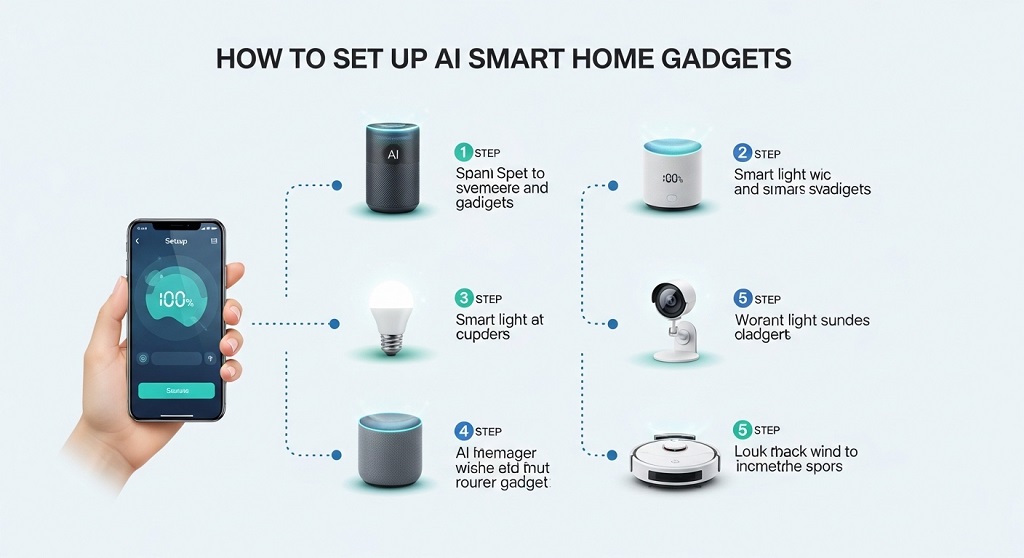
Smart homes are no longer futuristic experiments. In 2026, they are practical systems that save time, reduce electricity costs, and improve security. Yet many beginners hesitate because they think installation is technical, expensive, or confusing.
The truth is different. Most AI smart home gadgets now install in minutes using mobile apps and voice assistants. You do not need engineering skills. You only need a clear setup sequence and the right device ecosystem.
This guide explains exactly how to choose, connect, automate, and secure AI-powered smart home gadgets step by step. Whether you start with a single smart bulb or build a full automation system, this beginner-friendly roadmap helps you avoid mistakes and get results quickly.
What Are AI Smart Home Gadgets and How Do They Work?
Snippet Answer: AI smart home gadgets are internet-connected devices that automate lighting, security, temperature, and appliances using sensors, voice assistants, and predictive learning. They analyze behavior patterns, respond to commands, and create routines that reduce manual control while improving energy efficiency, safety, and daily convenience inside modern homes.
Answer Block: AI smart home gadgets connect to Wi-Fi and use sensors, automation software, and voice assistants to control appliances automatically. They learn user behavior, respond to commands, and optimize energy use. Examples include smart bulbs, thermostats, cameras, locks, and speakers working together through a mobile app.
Traditional electronic devices require manual control. AI-powered smart devices adapt to your routines automatically. They track patterns like sleep schedules, room occupancy, and preferred lighting levels.
For example, a smart thermostat learns when you leave home. It lowers energy use automatically. A smart camera detects unusual movement and sends alerts instantly.
Most smart gadgets operate through three layers:
- Hardware sensors that collect environmental data
- Cloud-based AI processing systems
- Mobile apps or voice assistants for control
These layers work together to create automation routines. Over time, devices become more accurate because they analyze repeated behavior.
This predictive capability is what separates AI smart homes from traditional automation systems.
Which AI Smart Home Devices Should Beginners Start With?
Answer Block: Beginners should start with smart speakers, smart bulbs, smart plugs, and security cameras. These devices are affordable, easy to install, and create the foundation for automation routines. They also integrate smoothly with voice assistants and allow gradual expansion without replacing earlier purchases.
Starting small prevents compatibility mistakes. Many beginners buy advanced devices first and face connection problems later.
Instead, begin with core automation devices:
- Smart speaker (central voice control)
- Smart bulbs (lighting automation)
- Smart plugs (appliance scheduling)
- Smart security cameras (monitoring)
These devices create a stable smart ecosystem. Once connected, you can expand toward thermostats, locks, or door sensors.
Smart plugs are especially powerful. They convert traditional appliances into smart devices instantly. A regular fan becomes voice-controlled within minutes.
This approach reduces setup complexity and keeps your budget manageable.
How Do You Choose the Right Smart Home Ecosystem in 2026?

Answer Block: Choosing the right ecosystem depends on compatibility, device availability, and voice assistant preference. Popular platforms like Alexa, Google Home, and Apple HomeKit support most modern devices. Beginners should select one ecosystem first and ensure all gadgets support it before purchasing additional components.
A smart home ecosystem acts as the command center for automation.
Without a unified system, devices may not communicate properly.
Here is a comparison table to help beginners choose:
| Platform | Best For | Strength | Limitations |
|---|---|---|---|
| Alexa | Budget-friendly setups | Wide device compatibility | Privacy concerns for some users |
| Google Home | Android users | Strong AI learning features | Fewer advanced automation routines |
| Apple HomeKit | iPhone users | High security standards | Higher device cost |
Choose one ecosystem before buying devices. Mixing platforms increases setup difficulty.
Consistency improves automation performance and reduces troubleshooting later.
How Do You Set Up AI Smart Home Gadgets Step by Step?
Answer Block: Setting up AI smart home gadgets involves installing the mobile app, connecting devices to Wi-Fi, pairing them with a voice assistant, and creating automation routines. Most devices follow the same process and can be configured within minutes using guided instructions inside their companion applications.
Most beginners assume installation is complicated. In reality, the process is simple when done in sequence.
Follow this setup framework:
- Install the device’s official mobile app
- Connect the gadget to home Wi-Fi
- Link the device to your ecosystem platform
- Assign device location (bedroom, kitchen, etc.)
- Create automation routines
Assigning rooms improves voice assistant accuracy. Instead of saying “turn off light,” you can say “turn off bedroom light.”
Automation routines create the biggest productivity gain.
Example routines include:
- Lights turning on at sunset
- Fan switching off after sleep hours
- Door alerts when opened unexpectedly
These routines eliminate repetitive manual actions throughout the day.
How Can AI Automation Improve Daily Life at Home?
Answer Block: AI automation improves daily life by reducing manual tasks, lowering electricity usage, increasing security awareness, and optimizing comfort settings automatically. Smart routines adjust lighting, temperature, and appliance behavior based on usage patterns, saving time while improving convenience across multiple rooms simultaneously.
Automation delivers value beyond convenience.
It improves safety and energy efficiency at the same time.
Examples include motion-triggered lighting for nighttime movement and automatic appliance shutdown during inactivity.
AI-powered cameras also detect unusual activity and send alerts immediately.
Energy monitoring plugs analyze consumption patterns and recommend optimization strategies.
This leads to measurable electricity savings over time.
AI routines also support accessibility.
Elderly users benefit from voice-controlled lighting and reminders for medication schedules.
Families benefit from automated security alerts when children arrive home.
These features transform smart homes into intelligent living environments rather than simple remote-control systems.
What Internet and Hardware Requirements Are Needed for Setup?
Answer Block: Most AI smart home gadgets require stable Wi-Fi, a smartphone, and a compatible ecosystem platform. A dual-band router improves performance when connecting multiple devices. Reliable internet ensures real-time automation responses, remote monitoring access, and consistent voice assistant functionality across rooms.
Connectivity determines system performance.
Weak Wi-Fi causes delayed responses and device disconnections.
Minimum requirements include:
- Stable broadband internet connection
- Dual-band Wi-Fi router
- Android or iOS smartphone
- Smart assistant application
For larger homes, consider installing mesh Wi-Fi systems. These improve coverage across multiple floors.
Also check whether devices support Matter protocol compatibility.
Matter is the emerging universal smart home standard in 2026. It allows cross-platform communication between brands.
This reduces compatibility risks significantly.
How Do You Secure Your AI Smart Home System from Risks?
Answer Block: Securing smart home systems involves using strong passwords, enabling two-factor authentication, updating firmware regularly, and separating IoT devices onto a dedicated Wi-Fi network. These steps prevent unauthorized access while protecting personal data collected by connected home automation devices.
Security is essential for smart homes.
Connected devices collect behavioral data continuously.
Protect your system using these steps:
- Enable two-factor authentication
- Update firmware regularly
- Create strong Wi-Fi passwords
- Disable unused device permissions
Advanced users also create a separate IoT network for smart devices.
This isolates automation systems from laptops and smartphones.
Encryption-supported ecosystems like HomeKit provide additional protection layers.
Security awareness ensures automation convenience never compromises privacy.
How Much Does It Cost to Build a Beginner Smart Home in 2026?
Answer Block: A beginner smart home setup in 2026 typically costs between $80 and $300 depending on device selection. Starting with a smart speaker, bulbs, and plugs keeps costs low while still enabling automation routines that deliver measurable convenience, security improvements, and energy savings.
Many people assume smart homes are expensive. Entry-level systems are now affordable.
Example starter setup:
- Smart speaker
- Two smart bulbs
- One smart plug
- One security camera
This setup supports voice control, scheduling, and monitoring immediately.
Expansion can happen gradually.
Add thermostats, locks, or sensors later without replacing earlier purchases.
Planning upgrades step by step keeps your smart home scalable and budget-friendly.
Conclusion: How Can You Build a Reliable Smart Home Setup in 2026?
Setting up AI smart home gadgets in 2026 is easier than ever because devices are designed for beginners. Most installations take minutes, not hours. The key is choosing one ecosystem first and expanding gradually.
Start with essential devices like speakers, bulbs, and plugs. Then build automation routines that remove repetitive daily actions. Add security cameras and sensors to strengthen protection as your system grows.
Reliable Wi-Fi, consistent updates, and strong passwords ensure long-term performance. These small steps prevent common mistakes that slow beginners down.
A smart home does not require technical expertise. It requires a structured approach.
Begin with one device today, create your first automation routine, and experience how AI-powered living saves time, energy, and effort every day.
Frequently Asked Questions
Do AI smart home devices work without internet?
Some devices support limited offline control through Bluetooth or local hubs, but most automation routines and voice assistant features require an internet connection for full functionality and remote access.
Is it difficult to install smart home gadgets for beginners?
No. Most devices include guided mobile app instructions and complete installation within minutes using Wi-Fi pairing and ecosystem integration steps.
Are smart homes expensive to maintain?
Maintenance costs are minimal because most devices only require occasional firmware updates and electricity usage similar to standard electronic appliances.
Which smart assistant is best for beginners?
Alexa and Google Home are ideal for beginners due to wider compatibility, easier setup processes, and support for budget-friendly automation devices.
Can smart home devices reduce electricity bills?
Yes. Automation routines optimize lighting schedules, temperature control, and standby power usage, reducing unnecessary electricity consumption.
Are AI smart home systems safe from hackers?
They are safe when protected with strong passwords, firmware updates, secure Wi-Fi networks, and two-factor authentication enabled across ecosystem accounts.
What is the Matter smart home standard?
Matter is a universal smart home protocol that allows devices from different brands to communicate seamlessly across ecosystems like Apple, Google, and Amazon platforms.
Read More Also: How to Set Up Smart Home Sensors for Elderly Safety Without Monthly Fees
Learn More: How to Choose the Right Headphones in 2025