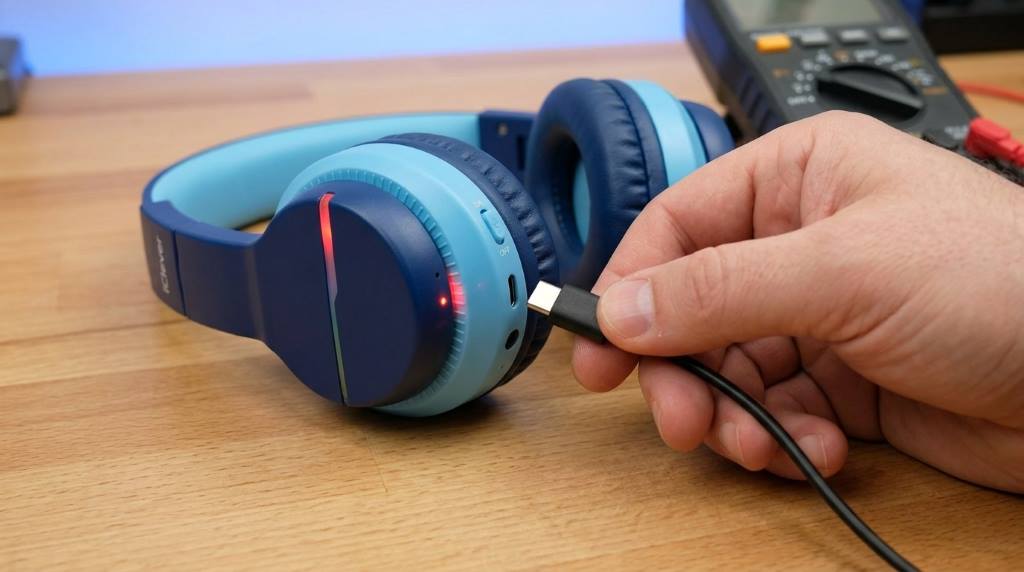



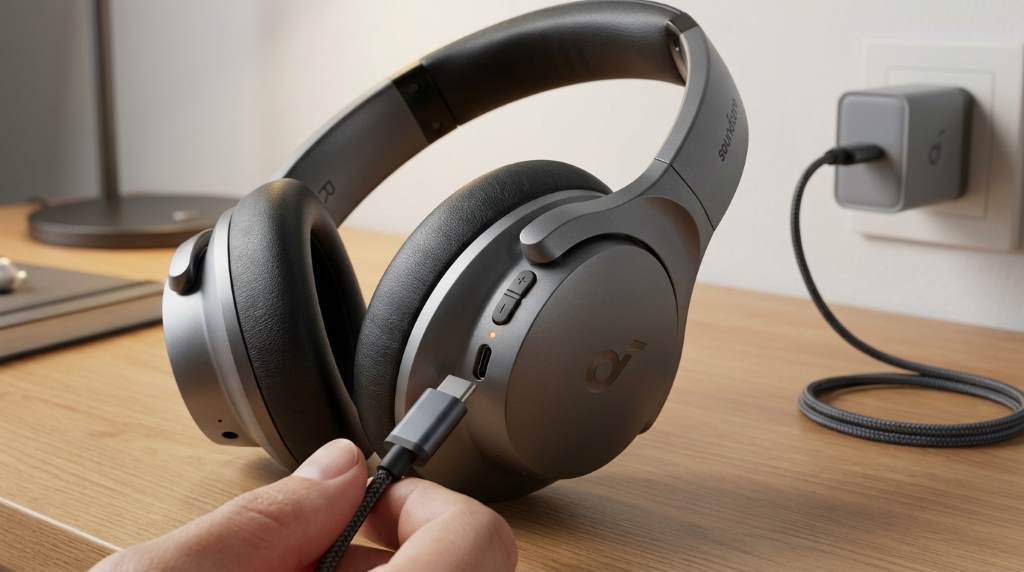
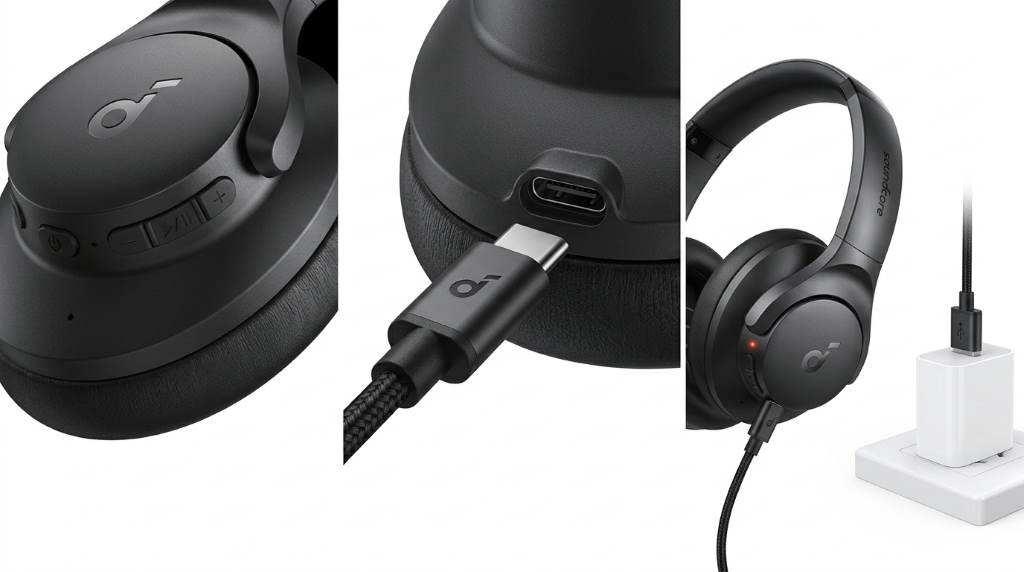
To charge the Soundcore by Anker Q20i, connect the included USB charging cable to the headphone’s charging port and plug the other end into a USB power source. A charging indicator light shows the charging status, and a full charge typically takes around two hours. Once fully charged, the headphones provide long battery life for daily listening, travel, and work.
Wireless headphone usage continues growing each year, with millions of users relying on Bluetooth audio devices daily. Battery performance remains one of the most important buying factors, which makes proper charging essential for maintaining long term reliability. Many owners of the Soundcore by Anker Q20i want clear charging instructions, battery care tips, charging light explanations, and troubleshooting guidance. This guide covers everything needed to charge the headphones correctly while helping extend battery health.
Understanding the Soundcore by Anker Q20i Charging System
The Soundcore Q20i includes a rechargeable lithium ion battery. This battery delivers extended playback time while supporting fast and convenient charging.
Unlike older wireless headphones, the Q20i uses modern power management technology. As a result, charging remains efficient and safe during normal use.
Before charging for the first time, inspect the cable and charging port. Clean connections help maintain consistent charging performance.
What You Need Before Charging
Charging the headphones requires only a few basic items. Most users already have everything necessary.
- Soundcore Q20i headphones
- Compatible USB charging cable
- USB wall adapter, computer port, or power bank
- Clean and dry charging environment
Using quality power sources helps protect battery performance. Therefore, avoid damaged cables and unreliable charging accessories.
How to Charge the Soundcore by Anker Q20i Step by Step
Locate the Charging Port
First, find the charging port on the headphone earcup. The port is positioned for easy access during charging.
Check the port for dust or debris before connecting the cable. Even small particles may interfere with charging.
Connect the Charging Cable
Insert the charging cable carefully into the charging port. Ensure the connection feels secure without forcing the plug.
Next, connect the opposite cable end to a USB power source. A wall adapter usually provides the most stable charging experience.
Confirm Charging Has Started
After connecting power, look for the charging indicator light. The light confirms the headphones are receiving power.
If no indicator appears, disconnect the cable and reconnect it. Then test another power source if necessary.
Wait for a Full Charge
Allow the battery to charge completely before heavy use. Full charging generally requires about two hours.
Once charging finishes, disconnect the cable safely. The battery is then ready for extended listening sessions.
Understanding the Charging Indicator Lights
Many users search for charging light meanings because they vary between headphone models. Understanding these indicators helps avoid confusion.
| Indicator Status | Meaning |
|---|---|
| Solid charging light | Battery is currently charging |
| Light changes status | Charging is complete |
| No light | Power source or connection issue may exist |
Always verify indicator behavior in the product documentation. Small updates may change light patterns between production batches.
How Long Does the Soundcore Q20i Take to Charge?
The Soundcore Q20i generally reaches a full charge in approximately two hours. Actual charging time may vary slightly.
Battery temperature, adapter quality, and cable condition can influence charging speed. Therefore, consistent charging equipment often delivers better results.
A partially depleted battery may recharge faster than a fully drained battery. However, complete charging still remains relatively quick.
How to Check Battery Level
Battery status can often be viewed through a connected smartphone. Most modern devices display headphone battery percentages.
Additionally, companion applications may provide detailed battery information. This helps users plan charging before long trips.
Checking battery levels regularly reduces unexpected interruptions. Consequently, listening sessions remain more reliable.
Best Charging Practices for Longer Battery Life
Proper charging habits can significantly improve battery longevity. Small adjustments often make a noticeable difference over time.
- Use quality charging cables
- Avoid extreme temperatures
- Disconnect damaged charging accessories immediately
- Store headphones in a dry location
- Charge before the battery remains empty for extended periods
Additionally, moderate charging routines help reduce battery stress. Consistent care supports long term performance.
Common Charging Mistakes to Avoid
Several charging habits can reduce efficiency and create unnecessary problems. Fortunately, most are easy to avoid.
Using Damaged Cables
Frayed or bent cables may interrupt charging. Furthermore, they can create safety concerns.
Ignoring Port Cleanliness
Dust buildup frequently causes charging issues. Therefore, inspect the charging port regularly.
Charging Near Heat Sources
Excessive heat can affect battery health. Keep headphones away from direct sunlight and heaters.
Forcing Cable Connections
Charging connectors should fit smoothly. Excess pressure may damage the charging port.
Troubleshooting Charging Problems
If the Soundcore Q20i does not charge properly, several simple checks may solve the issue. Most charging problems involve accessories or connections.
Try Another Charging Cable
A faulty cable often prevents successful charging. Testing another cable helps identify the cause quickly.
Use a Different Power Source
Switch from a computer port to a wall adapter. Alternatively, test a power bank.
Inspect the Charging Port
Carefully examine the charging port for lint or debris. Clean it gently using appropriate methods.
Restart the Headphones
Sometimes a simple restart resolves temporary power issues. This step requires only a few seconds.
Allow Deeply Drained Batteries Time
If the battery is completely depleted, charging indicators may appear slowly. Leave the headphones connected for several minutes.
Can You Use the Soundcore Q20i While Charging?
Many users wonder whether charging and listening can occur simultaneously. The answer depends on device behavior and charging design.
In most situations, charging first provides the best experience. Moreover, uninterrupted charging helps restore battery capacity efficiently.
Review your product instructions before using the headphones during charging. Following manufacturer guidance always remains the safest approach.
When Should You Recharge the Headphones?
Recharge the headphones when battery levels become low. Waiting for complete battery depletion is usually unnecessary.
Regular charging provides convenience and helps avoid interruptions. As a result, headphones remain ready whenever needed.
Frequent travelers especially benefit from maintaining adequate battery reserves. Planning ahead reduces charging stress.
Conclusion
Charging the Soundcore by Anker Q20i is simple when you use a compatible cable and reliable power source. Understanding charging indicators, battery habits, and troubleshooting steps helps keep the headphones performing consistently.
Follow these charging practices regularly to maximize battery life and listening time. Start applying these tips today to keep your Soundcore Q20i ready for every call, commute, workout, and entertainment session.
Frequently Asked Questions
How long does it take to charge the Soundcore Q20i?
A full charge typically takes around two hours.
Can I charge the Soundcore Q20i with a power bank?
Yes, a compatible USB power bank can charge the headphones.
Why is my Soundcore Q20i not charging?
A damaged cable, dirty port, or faulty power source may cause charging issues.
Should I fully drain the battery before charging?
No, regular charging before complete depletion is generally recommended.
How can I check the battery level of my headphones?
Most connected smartphones display the headphone battery percentage.